
SAP routing: the process sequence sheet you cook a recipe by
What routing is as SAP PP master data, and why operation numbers, work centers, and standard times matter, explained through a restaurant analogy.
Hi, this is Rabbit! 🐰
A new hire just started in the restaurant kitchen. The fridge is fully stocked, and they’ve got the recipe (BOM) in hand — but they’re stuck. Nobody told them which station to start at, whether to use the stovetop or the oven, or how much time to spend on each step.
An ingredient list alone can’t get a dish finished. You need separate information defining what order, where, and how long. In SAP, that role belongs to routing.
- Routing is master data defining the sequence of operations, work centers, and standard times used to make a product.
- If BOM answers “what is it made from,” routing answers “how is it made.”
- Without routing, SAP can’t calculate any of three things: delivery date, cost, or work instructions.
What is routing
Routing is master data that defines, in order, the operations a product must go through before it’s finished. For each operation, it records which work center handles it and how long it standardly takes.
In restaurant terms, it’s the cooking sequence sheet. If the recipe (BOM) says “200g chicken, 2 tbsp soy sauce, 5 cloves garlic,” routing is “Station 1: prep, 10 min → Station 2 oven: roast, 25 min → Station 3: plate, 5 min.” Only when both the ingredient list (BOM) and the cooking sequence (routing) are in place does the kitchen actually run properly.
The four pieces of information in a routing
A single line of routing carries four pieces of information.
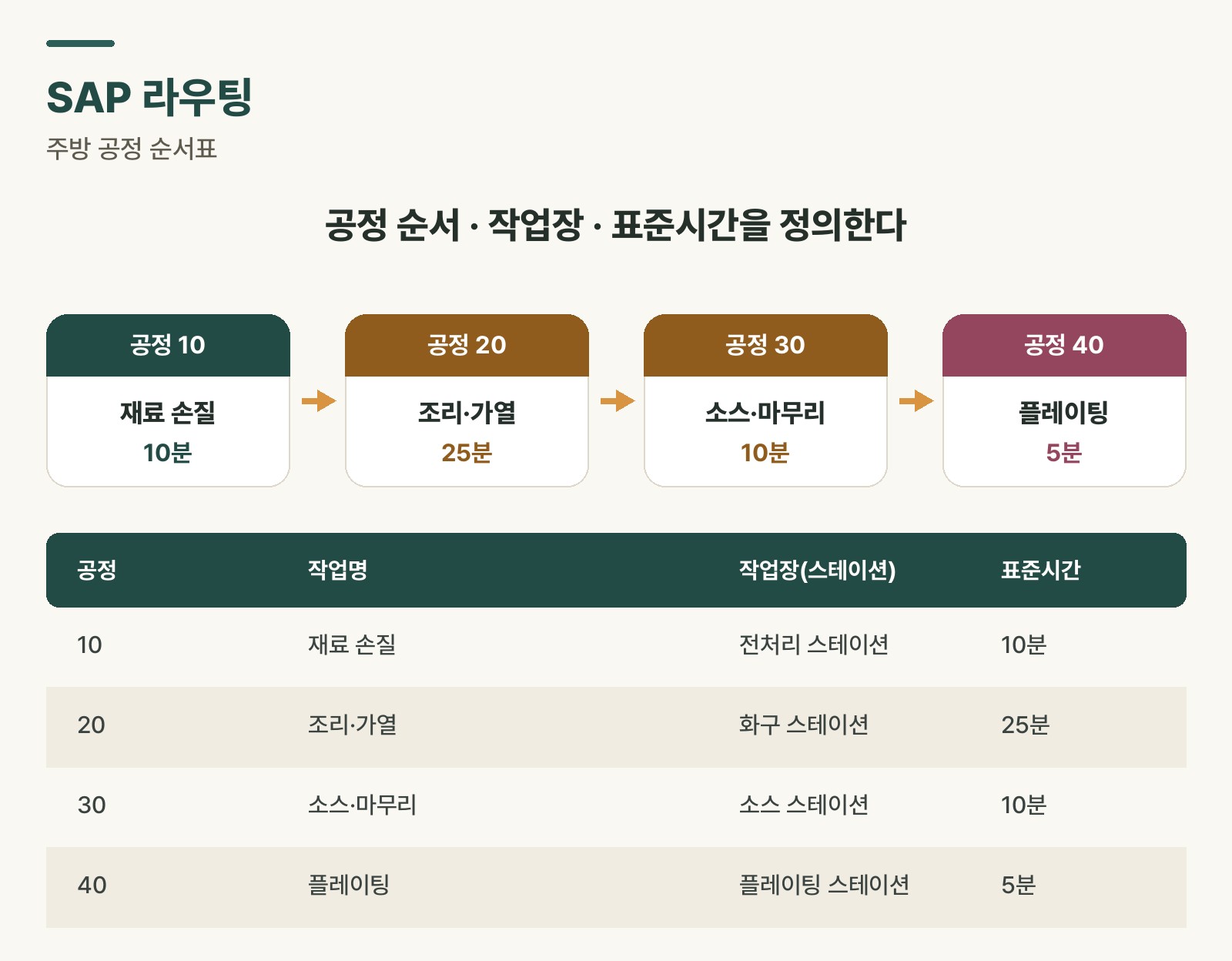 Figure 1. Example smartphone production routing — the sequence, work centers, and standard times for operations 10 through 40
Operation number marks the sequence. Usually numbered in increments of 10 — 10, 20, 30 — leaving room to insert operation 11 later if a step needs to be added.
Operation name describes what happens at that step — things like “display assembly” or “final inspection.”
Work center is the actual place or equipment where the operation happens. You assign a work center already registered in SAP, like “assembly line 1” or “quality inspection line.” The work center’s own capacity and cost information live in a separate work center master record.
Standard time is the benchmark duration for that operation. It can differ from the actual time something takes, but it serves as the baseline for planning and cost calculation.
| Op | Operation name | Work center | Standard time |
|---|---|---|---|
| 10 | Display assembly | Assembly line 1 | 10 min |
| 20 | Mainboard installation | Assembly line 2 | 15 min |
| 30 | Battery installation | Assembly line 2 | 5 min |
| 40 | Final inspection | QA line | 20 min |
Table 1. Example routing master data for a smartphone (P1000)
What happens without routing
If routing is missing or incorrectly set up, SAP can’t calculate three things.
Routing is the shared foundation behind delivery date, cost, and work instruction calculations.
First, production lead time can’t be calculated. Without knowing how long each operation takes, there’s no way to know how many days the full production run needs. SAP loses its basis for working backward to a delivery date.
Second, the conversion cost portion of manufacturing cost can’t be calculated. Material cost (from BOM) is available, but conversion cost — the cost of labor and equipment — is calculated as standard time per operation × the work center’s hourly rate. Without routing, this calculation simply doesn’t happen.
Third, work instructions can’t be issued. When a production order is released, SAP has no way of knowing which operation should be assigned to which work center.
⚠️ Note: A routing’s standard time is the benchmark for “how long this operation usually takes.” If it drifts far from actual shop floor time, both the delivery date calculation and the cost calculation go off track. Verifying it against the floor when first registering it matters.
The relationship between BOM and routing
BOM and routing need each other before a product can actually be made.
- BOM: to make a Galaxy smartphone, you need 1 battery, 1 display, and 1 mainboard.
- Routing: assemble the display at operation 10, install the mainboard at operation 20, run final inspection at operation 40.
The two exist independently of each other, but they get tied together through a production version when a production order is created — something like “this product is made using BOM 001 combined with routing 001.” Even for the same product, routing can differ between making it the standard way on Line A versus rushing it through Line B. Registering multiple production methods in the system like this, and being able to pick the right one for the situation, is exactly what a production version does. I’ll cover production versions in a separate post.
💡 Key point: If BOM is the “ingredient list,” routing is the “cooking sequence sheet.” Give a new hire only the ingredients with no sequence, and they won’t know what to do first.
Rabbit’s Takeaway
Registering a routing once isn’t the end of it. When equipment changes, a process improves, or actual time diverges sharply from the standard, the routing has to be updated. A stale routing produces a stale delivery plan and a stale cost.
“Garbage in, garbage out.” If master data doesn’t reflect reality, no matter how sophisticated the system is, the output will be wrong. Routing is the bridge connecting the system to the shop floor. That bridge needs to be solid for SAP to run properly. 😎
Read more