
SAP work centers: the kitchen station where an operation actually happens
What a work center is as SAP PP master data, and why capacity, cost center, and person-in-charge information matter.
Hi, this is Rabbit! 🐰
Look inside a routing and you’ll see a line like “Operation 20 — Mainboard installation — Assembly line 2 — 15 min.” That raises a question: it says “assembly line 2,” but how does SAP know where that line is, how many hours a day it runs, or what it costs per hour?
The answer is the work center. If routing specifies “where,” the work center master holds the specifics about that “where.”
- A work center is master data registered in SAP representing the actual place, equipment, or group of people where a production operation happens.
- Person in charge, capacity (available operating hours), and cost center are its core components.
- When a routing points to a work center, SAP pulls the information it needs for scheduling and cost calculation from that work center’s master record.
What is a work center
A work center is the unit where actual production activity takes place. It can be a physical piece of equipment or a line, or it can be a group of people responsible for a specific task.
In restaurant terms, it’s each individual station inside the kitchen. A stovetop station, a fryer station, a plating station — a kitchen is divided into zones by role, just like this. If the recipe (routing) says “plate at station 3,” the head chef needs to know where station 3 is, who’s running it, and how late it’s available. The work center master is that station’s ID card and operating manual, all in one.
What information goes into a work center
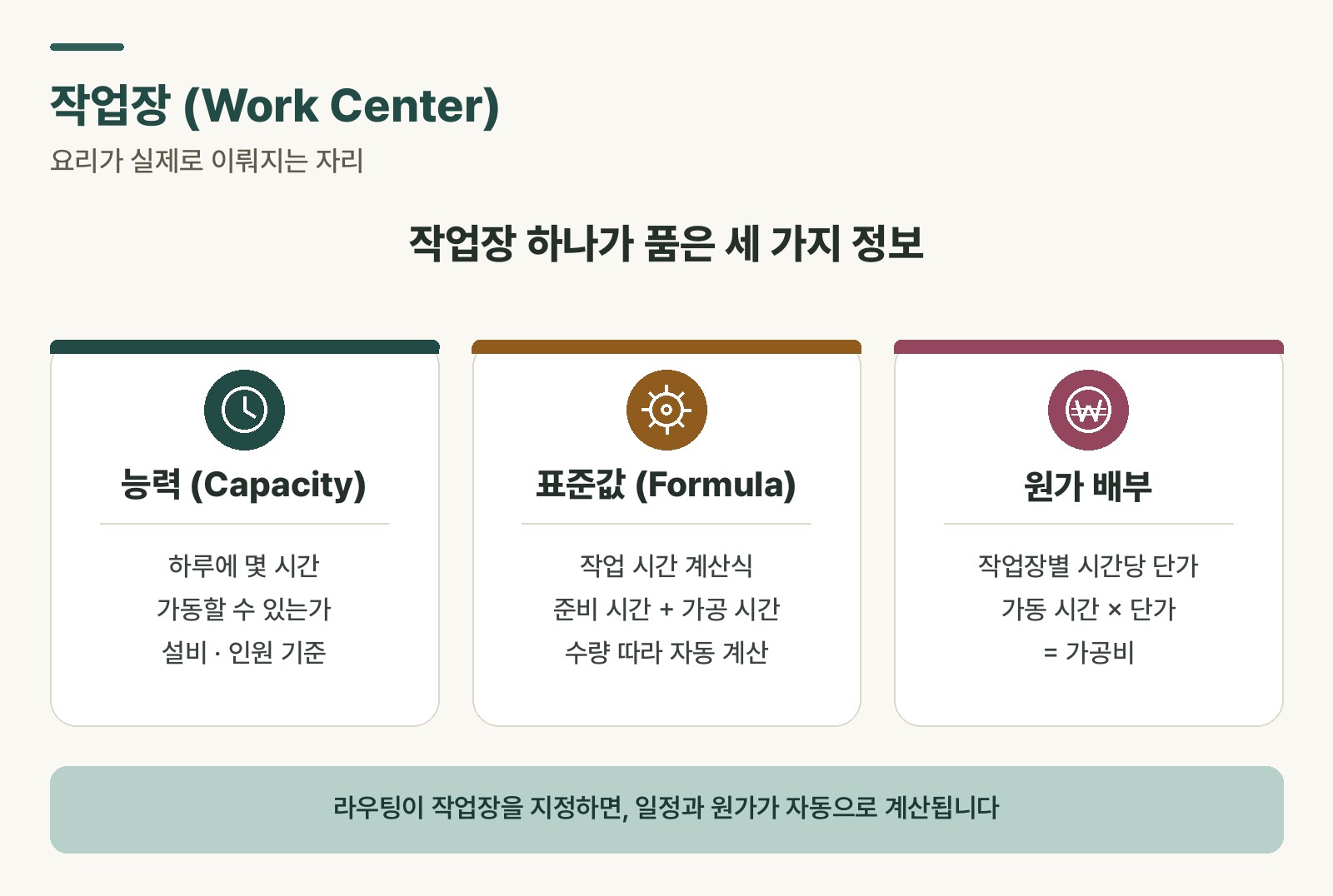 Figure 1. The four core components of a work center master and how it connects to routing
The work center master holds four main pieces of information.
Work center category classifies what type of work center this is — whether it’s a piece of machinery, a production line, or a person (a labor group). Capacity is calculated differently depending on the category.
Person in charge / labor group identifies who performs this operation. Register a responsible person, and a work order, once created, can be routed to them.
Capacity is how much this work center can handle in a day — registered as something like “8 hours a day, 2 operators.” SAP uses this to judge whether a given job can be absorbed by this work center, and to raise overload warnings when it can’t.
Cost center link is the connection point for calculating conversion cost. It specifies which cost center the expenses incurred at this work center should be attributed to.
Why capacity matters
Capacity information is the core basis for production scheduling.
When a routing says “Operation 20, mainboard installation, assembly line 2, 15 min,” SAP checks assembly line 2’s capacity. If 8 hours’ worth of work is already booked today, this operation can’t run today. Capacity is the basis SAP uses to either push the schedule to tomorrow or raise an overload warning.
Capacity is also the standard used to judge, at the planning stage, “how many orders can this line actually take.” If deliveries keep slipping on the floor, one of the first things worth checking is actual load versus capacity at a specific work center. You can pinpoint which line is the bottleneck directly with numbers inside SAP.
💡 Key point: If capacity information doesn’t match reality, scheduling goes off track. If a line is registered as “runs 8 hours a day” but actually only runs 6, the schedule SAP builds is tight from the very start.
How work centers and routing connect
Routing and work centers mesh together like this.
When a routing registers “Operation 20 — Assembly line 2,” SAP looks up and reads the master record for the “assembly line 2” work center. From there it pulls the person in charge, daily operating hours, and cost center, and calculates two things: when this operation starts and finishes (schedule), and what conversion cost this operation incurs (cost).
Routing specifies “where,” and the work center master tells you everything about the conditions at that “where.”
⚠️ Note: If a work center master has no cost center linked, conversion cost calculation doesn’t happen. Forgetting to link a cost center when registering or changing a work center can cause cost calculations to come out as zero. Always confirm this together with the CO (cost) team.
When the work center master drifts from reality
A work center master isn’t something you set up once and forget. When the shop floor changes, the master needs to change with it.
If equipment gets added and an assembly line can now run 10 hours a day, the capacity information needs to be updated. If the person in charge changes, that needs updating too. If the master doesn’t reflect reality, the schedule and cost SAP produces are off from the start.
Rabbit’s Takeaway
Understand routing, and you know the operation sequence. Understand the work center, and you see the actual conditions that operation runs under. Know both, and the way you read a production order changes — when, where, and at what cost it’s made all connect into a single picture.
That’s what solid master data really means: being able to trust the numbers SAP produces. And the work center master is where that trust starts. 😎
Read more