
SAP UAT: the owner's final walk-through before opening the doors
UAT is where real business users verify the system using their own actual work scenarios and formally approve it for go-live — explained through the owner's final walk-through before a restaurant opens.
Hi, this is Rabbit! 🐰
We’ve reached the last of the five testing stages: UAT (User Acceptance Test). So far, we’ve drawn up the blueprint (Fit/Gap), shown off the trial store (prototype), inspected the ingredients (unit testing), and connected the kitchen to the floor (integration testing).
What stands before us now is, technically speaking, a nearly complete restaurant. Consultants and developers are confident: “this should be good to go.” But the real owner of this restaurant — the one who’ll work here every single day — is someone else entirely: the business user. Today we cover the final gate, where that owner tries it out personally before opening and signs off with “good, we can open now”: UAT.
- UAT is the stage where actual users verify the system using their own real business scenarios and formally approve go-live.
- If integration testing is “the expert’s technical verification,” UAT is “the real user’s usability verification.”
- Realistic scenarios, real data, user-led testing, and prior training — these four conditions determine success.
What is UAT
UAT (User Acceptance Test) is the stage, right before go-live, where actual business users run their real work scenarios through the system for final verification and formally approve its “acceptance.”
Every test up to this point has been about experts focusing on “the system’s performance” itself. UAT is different. It brings in the people who’ll work at the restaurant every day — staff and owner alike — to take real orders, process real payments, and run through the operation firsthand, as one final check.
UAT isn’t about whether the system is technically flawless — that should have already been covered in integration testing. The real question UAT asks is just one: “so, is this system actually good enough for us to use every day?” Only once the user answers “yes” and formally signs off does this long project truly reach its finish line.
Integration testing vs. UAT
The two tests look similar on the surface, but their purpose, perspective, and the people involved are completely different.
| Criteria | Integration testing | UAT |
|---|---|---|
| Analogy | The kitchen expert’s connectivity check | The owner’s real-life dress rehearsal |
| Purpose | Verify technical connections between modules | Verify business fit and usability |
| Perspective | System-centered | User- and business-centered |
| Who’s involved | Consultants, developers, key users | Actual business users |
| What they mainly find | Data mismatches, connection errors | Missing workflows, awkward screens, unfamiliar terminology |
Table 1. The difference between integration testing and UAT
The kitchen expert checks whether the equipment connects properly, while the person who works there every day notices “this layout is inconvenient.” That’s exactly why problems that never surfaced in integration testing suddenly pour out during UAT. The system calculates the numbers correctly, but you still hear things like “from the business side, this report’s layout is confusing and hard to use” — usability issues that only show up from that angle.
Four conditions for a successful UAT
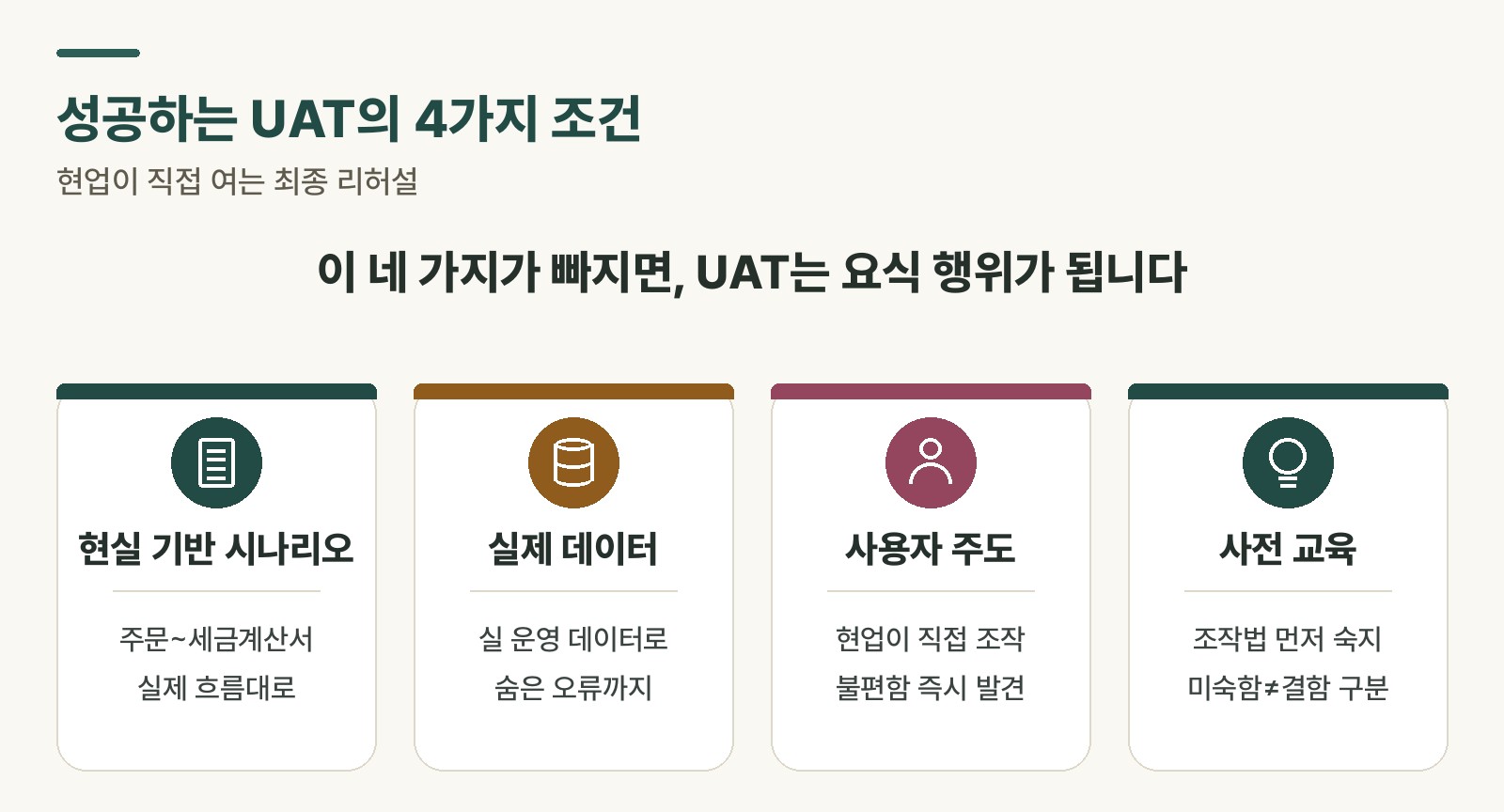 Figure 1. Four conditions for a successful UAT
“Just gather the business users and have them try it once” doesn’t cut it — that approach fails. A good UAT only happens with thorough preparation behind it.
Realistic scenarios. A rehearsal that only circles around the edges of the store isn’t enough — you have to run it like a real service. Rather than a simple function like “create a sales order,” it should cover a full real-world workflow start to finish: “receive an urgent order from a new customer, check stock, apply a special discount, ship it, and issue the tax invoice.”
Real data. Testing with an empty system won’t cut it — you need the data you’ll actually use in operations. Not “customer name: test,” but “customer name: Daehan Electronics Co.” — real-looking data catches the unexpected errors that only show up with real data.
User-led testing. The main characters here are business users, not consultants or developers. A test where people sign off reluctantly just because they were told to means nothing. Every small inconvenience needs to be voiced, driven by a sense of ownership: “I’m the one verifying the system that’s supposed to make my job easier.”
Prior training. You can’t hand the inspection to someone who doesn’t even know how to operate the thing. Participants need to be well-versed in the new system’s functions and operation before testing begins. That prevents mistaking unfamiliarity with the system for an actual defect, and keeps the test running efficiently.
Rabbit’s Takeaway
And with that, the curtain falls on SAP’s five testing stages. Together, we’ve drawn up the blueprint, inspected the ingredients, connected the kitchen to the floor, and finally earned the real owner’s approval.
The moment a user signs off with an “OK” in UAT, the project finishes its long tunnel called “implementation” and gets ready to step into a new world called “operations.” Passing this final check means the system we built has been officially recognized as more than just “a machine that works” — it’s “a tool that adds real value to the business.” 😎
Read more