
SAP prototype testing: the trial store you visit before construction begins
Prototype testing builds a working sample of screens and functions before full-scale development so users can try it out early — explained through the process of touring a trial store before a restaurant is actually built.
Hi, this is Rabbit! 🐰
We’re on the second of five testing stages: prototype testing. If SAP Fit/Gap analysis sorted out what we have and what we’re missing, this stage takes those results and shows the team, “here’s what it would look like built this way — does that work?”
It’s like setting up a trial store before construction on the real one begins. Before you sink billions into a system, you show it to users early and ask: “is this the structure you had in mind? Take a look and let us know.”
- Prototype testing builds a working sample of screens and functions before full development starts, letting users try it out early.
- It closes the gap between spoken requirements and actual implementation by letting people see it with their own eyes.
- It’s a safety net that catches a wrong direction early, saving both cost and time.
What is prototype testing
A prototype is a sample, a trial version. Prototype testing is the process of building an early version of screens or core functionality before full-scale development, so users can try it out ahead of time.
When you open a new store, you don’t jump straight into construction just because you have a blueprint. You set up a trial version first, so you can see and touch things yourself — is the flow comfortable, is the kitchen placed well. Skip that trial run, build the real thing, and then hear “wait, this kitchen layout is way too awkward” — by then, it’s too late to undo.
SAP is no different. Imagine pouring in all that time and budget to build a system, only to hear the user say, “this isn’t what we asked for.” That’s a nightmare scenario. Prototype testing is the safety net that prevents it.
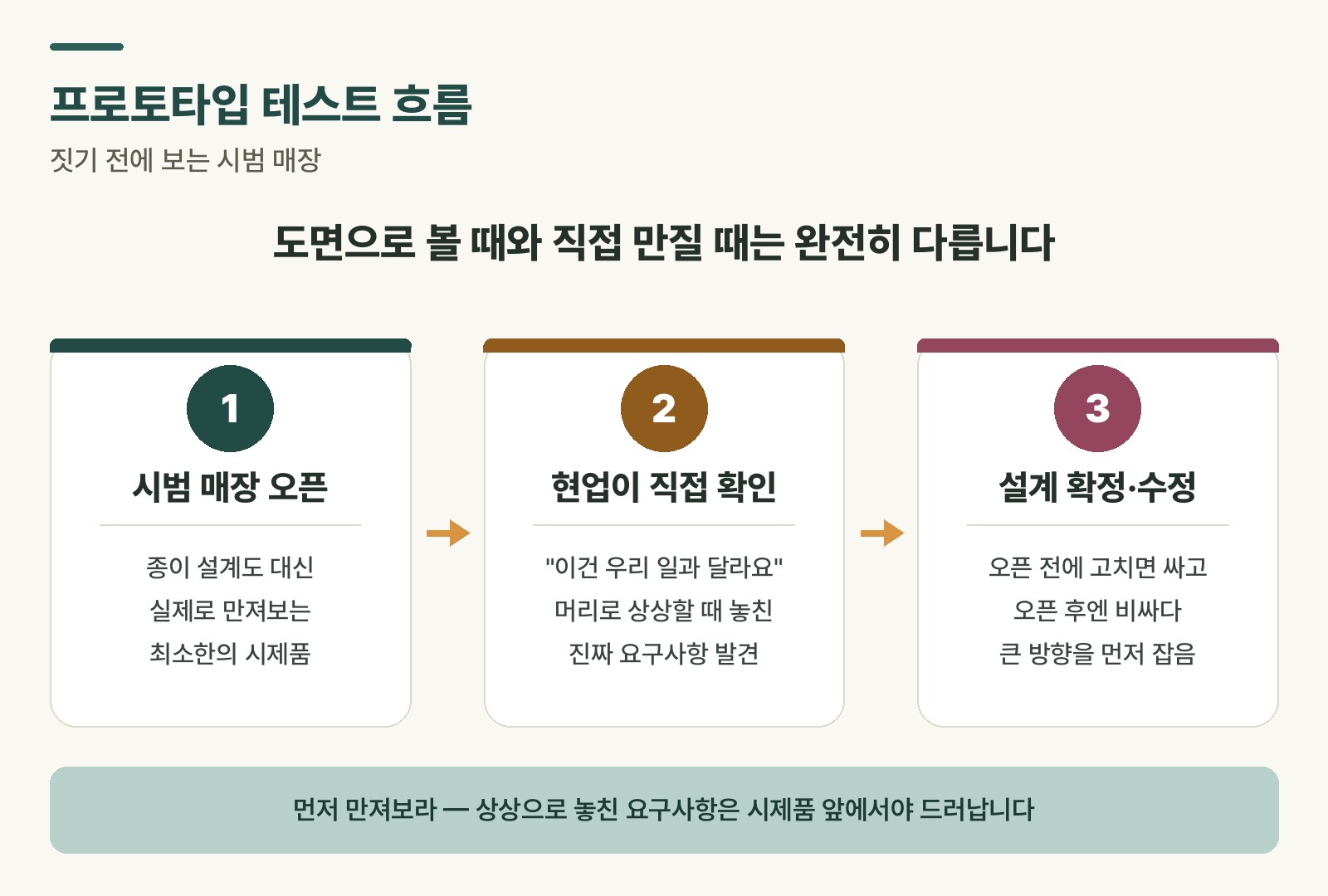 Figure 1. The flow of prototype testing — try it before you build it, and fix it early
Why you have to see the trial store
You might think, “why not just build it to spec — why bother showing it midway through?” But this seemingly tedious detour prevents much bigger disasters down the line.
Requirement validation. It confirms early whether the “user-friendly screen” the user described and the “user-friendly screen” the developer built in their head are actually the same thing. Say “make it brighter,” and the user might picture a white background while the developer pictures larger text — this step narrows that kind of mismatch.
Usability evaluation. It surfaces real user frustrations early — “why is this button all the way over here?”, “getting from this screen to that one takes way too many clicks.” No matter how polished the store looks, it’s useless if it’s a pain to work in.
Risk reduction. Discovering the wrong direction after the system is nearly finished is a nightmare. Prototype testing gives you the chance to correct course early, while it’s still cheap to do so.
What happens at the trial store
Prototype testing usually follows this order.
First, build a sample. Using PowerPoint, a mockup tool, or simple development screens, put together a “fake” system. It doesn’t need real data connected. All you need to show is what the screens look like and where each button leads — enough to demonstrate “open this door, and that’s the room you find.”
Next, demo it and let people use it directly. Gather key users, walk them through the main flows, and have them act out real scenarios — “sales rep, go ahead and try drafting a quote on this screen.” This is where the friction points come pouring out.
Finally, collect feedback and iterate. Carefully note what worked, what didn’t, and what people wish were added, then revise the prototype and show it again. Repeat this cycle a few times to raise the quality with each pass.
How this plays out in practice
Take the sales team’s “quote creation” feature as an example. The old system made drafting a quote slow and overly complicated. Show a prototype of the new quote screen’s layout and button placement, and a real sales rep entering mock customer data might say things like “I wish customer search were easier” or “the discount field should be visible right away” — practical, grounded feedback. Nailing down the most comfortable screen layout before full development starts cuts down both build time and rework costs.
Rabbit’s Takeaway
The core of prototype testing is “show it early, fix it early.” A meeting held over a blueprint and words alone invites far more misunderstanding than one held in front of a visible trial store everyone can actually see. That’s the moment planners, developers, and business users finally become one team.
Once the big-picture direction of the functionality is locked in this way, the next step is unit testing — checking things one small piece at a time. 😎
Read more