
SAP GI, GR, CNF: the three moments inventory leaves, arrives, and gets made
Explains GI (goods issue), GR (goods receipt), and CNF (production confirmation) — three terms you run into daily in SAP — using the analogy of ingredient flow in a restaurant.
Hi, this is Rabbit! 🐰
If you work in logistics or production, there are terms you run into dozens of times a day: GI, GR, and CNF. At first they look like alien code, and even after learning them, plenty of people still find them confusing in practice.
Today I’ll break these three down using the flow of ingredients in a restaurant kitchen — the three moments when inventory goes out (GI), comes in (GR), and something gets made (CNF).
- GI (goods issue) is inventory going out; GR (goods receipt) is inventory coming in.
- GI and GR usually move as a pair — one side’s outbound is the other side’s inbound.
- CNF (production confirmation) reports “we made this many, and it took this long” — the backbone of cost calculation.
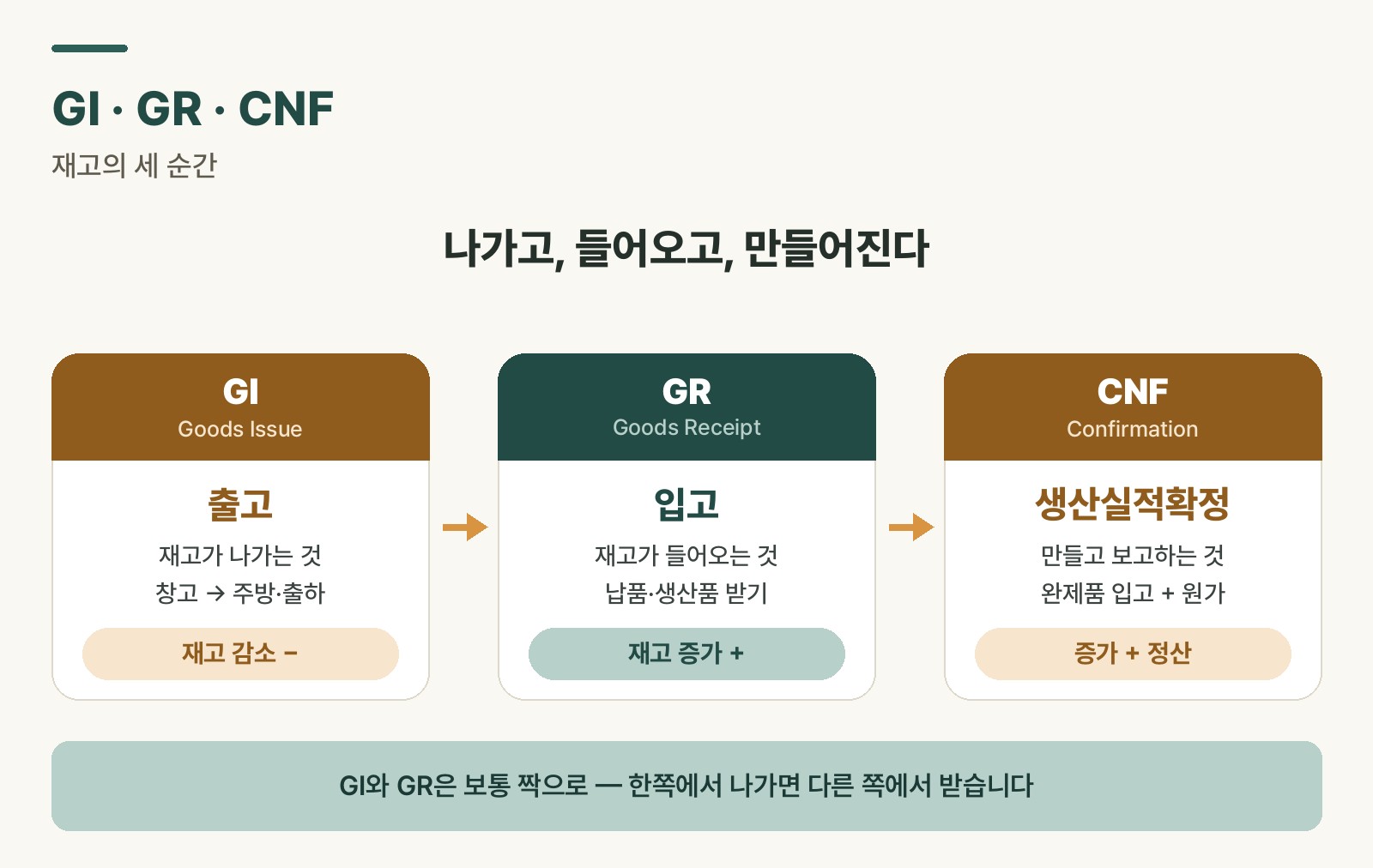 Figure 1. GI, GR, CNF — the three moments inventory leaves, arrives, and gets made
GI — the moment inventory goes out
Say the central warehouse at headquarters is stocked full of ingredients. Our restaurant runs low on onions, so we request “send 10 boxes of onions.” The central warehouse pulls 10 boxes off the shelf and loads them onto a truck headed our way.
That exact moment — goods leaving the central warehouse for a specific destination — is GI (Goods Issue). In the system, this transaction reduces the central warehouse’s onion inventory by 10 boxes. The key point: GI is inventory going out.
GI shows up in plenty of real-world situations: releasing raw materials from the warehouse to the production line (production order GI), moving finished goods to the shipping dock for delivery to a customer (sales order GI), or transferring parts from one warehouse to another (stock transfer). What matters is recording exactly who sent what, where, and how much.
GR — the moment inventory comes in
Now the truck has arrived at our restaurant. Do we just toss the delivered boxes into storage and call it done? No — we need to check that the requested quantity (10 boxes) is correct and that everything’s in good condition before formally accepting it.
Formally accepting goods and registering them as our own inventory is GR (Goods Receipt). Only after GR processing does the system show our restaurant’s onion inventory increase by 10 boxes. The key point: GR is inventory coming in.
GR also happens in a range of situations: raw materials ordered from an external vendor arriving at the factory (purchase order GR), freshly produced goods from the production line going into the warehouse (production order GR), or parts sent from another warehouse arriving (stock transfer).
To sum up: GI is the “outbound record,” GR is the “inbound record.” The two usually move as a pair — if Warehouse A does a GI, Warehouse B needs to do a matching GR for total inventory to add up correctly. Both records need to be accurate for the company’s overall inventory picture to stay transparent.
CNF — the moment something gets made
So far we’ve talked about receiving ingredients. But the kitchen also makes things directly. Say today’s plan is “make 10 plates of pasta.” That plan is SAP’s production order.
Making the pasta requires noodles, sauce, and other ingredients. Pulling those out of storage is the GI we just covered. And say you’ve worked hard and finished all 10 plates. Is that the end of it? No — you still need to report, “it took 30 minutes to make 10 plates of pasta.”
That report is CNF (Confirmation). But CNF isn’t just reporting the result of “made 10 plates.” It also reports that “I spent 30 minutes of my time (labor) making this.”
So when you do a CNF, two things happen in the system at once: one is the finished goods receipt (with auto-GR enabled, pasta inventory goes up by 10 plates), and the other is cost settlement (30 minutes of labor and overhead get applied to the cost of those 10 plates of pasta). In the end, CNF is both a “work is done” report and a required step for calculating accurate product cost. Skip it, and you can’t actually know the true cost of a single plate of pasta.
Rabbit’s Takeaway
Summed up in one line: GI is inventory going out (decrease), GR is inventory coming in (increase), and CNF is making something and reporting “made this many, took this long” (finished goods increase + cost settlement).
Next time you hear “please process the GI,” “did the GR post?”, or “why hasn’t the CNF been done?” — you won’t be caught off guard. It’s all just the same flow of ingredients going out, coming in, and turning into dishes. 😎
Read more